Hold the Frame
Build the smallest support that keeps your composition still. Start close to the table, keep the base broad and make the phone easy to remove without pulling the rig apart.
Frame before you fold
Arrange your subject, open the camera and hold the phone where the photograph looks right. Notice the height, angle and distance. A small object often needs a lower camera than you expect; raising the stand can reveal a distracting table edge without improving the picture.
Mark the phone’s position on the table with removable tape. Check which rear camera is active and whether the case protrudes around it. Your cradle must leave that camera unobstructed, avoid the side buttons and retain the bottom edge. A charging connector should not become the thing holding the phone upright.
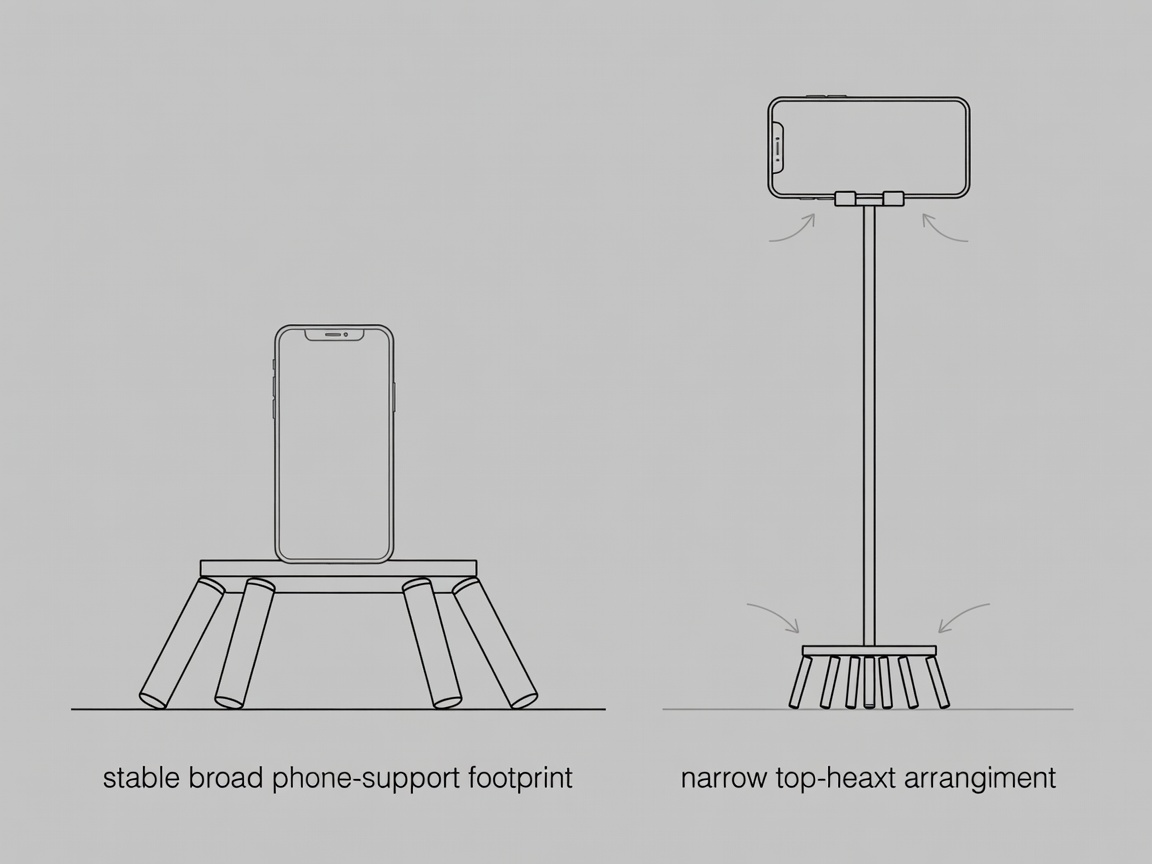
For a first build, choose landscape orientation on a solid table. A tall portrait position raises the centre of mass and makes a narrow base easier to tip. You can redesign for portrait later, after learning how the first support behaves.
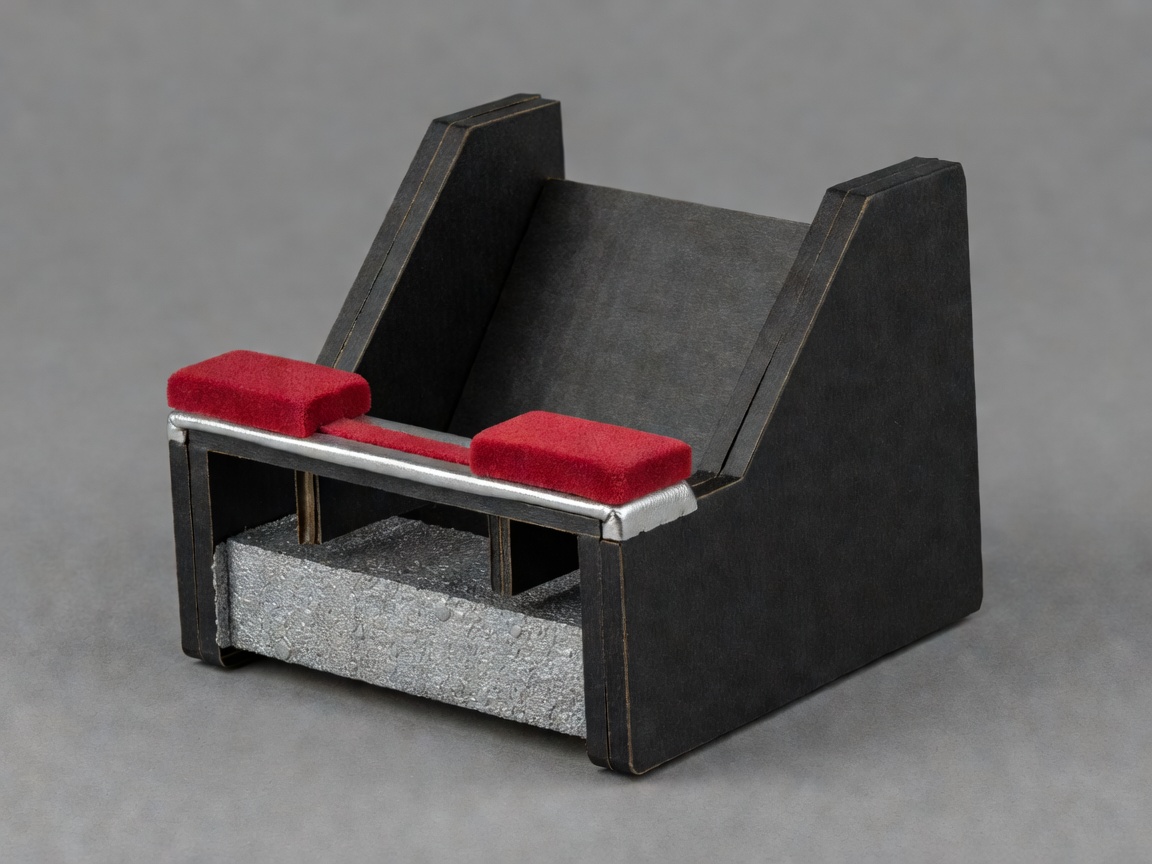
Fold a broad triangle
Cut a strip of cardboard wider than the phone’s supported edge. Fold it into a low triangular tent, leaving an extra flap along the front. Fold that flap upward to create a retaining lip. The back of the phone should lean against a broad face, rather than rest on a sharp cut edge.
- Dry-fit the empty structure on the tray. Make the base longer if it rocks or the rear face buckles.
- Bond a second layer across weak folds where necessary. Keep the corrugation directions different if possible to reduce easy bending in one direction.
- Add thin padding to the back contact and retaining lip. Padding should protect the case without making the phone spring forward.
- Attach the cradle to the tray, then place the sealed ballast low behind it. Keep the ballast contained so grains cannot enter the phone or spill across the table.
The retaining lip needs to catch the phone’s lower edge without hiding the screen controls you need. Do not rely on friction alone. If the phone can slide sideways, add padded side stops that do not press any buttons.
Use what behaves predictably
A clean wooden offcut can replace the tray. A sealed bag of dry lentils can replace rice. Thin felt can replace foam. Each substitution should preserve the function: a flat foundation, contained weight and a non-scratching contact surface.
A ceramic mug can support a low cradle only when the cradle is securely attached and the mug cannot roll or slide. Do not wedge the phone between loose books or balance it against an open drink. Soft cushions feel protective but make an unpredictable base.
For a desktop three-legged stand, use three sound wooden craft sticks braced together around a rigid platform, with the cradle mounted above the centre of the footprint. Keep it low. This is a positioning aid, not a rated tripod: uneven legs, flexible glue joints and a top-heavy phone are reasons to return to the simpler tray build.
Check the whole arrangement
Test the support with a harmless dummy of similar size and mass before installing the phone. On a cleared surface, apply a small nudge from different directions. Watch the folds, retaining lip and tray—not just the top. This is a practical screening check, not proof of a load capacity.
Fit the phone while keeping a hand close. Confirm it cannot slip out during normal camera operation. Remove cables that tug sideways. Use the camera timer or a compatible remote shutter so touching the screen does not move the frame. Apple iPhone and Google Pixel camera controls differ by model, so consult your device’s own instructions for timer and focus settings.
Take one test frame and inspect it at full size. If the subject is soft, distinguish motion blur from missed focus before rebuilding anything. More light, a timer and a stable subject can help; extra ballast will not correct focus. Photograph the completed setup so you can repeat it, and inspect the cardboard again before the next session.